System Resource Monitoring
Keep CPU, disk, and memory usage under control with automated collection, clear charts, and immediate visibility into server health.
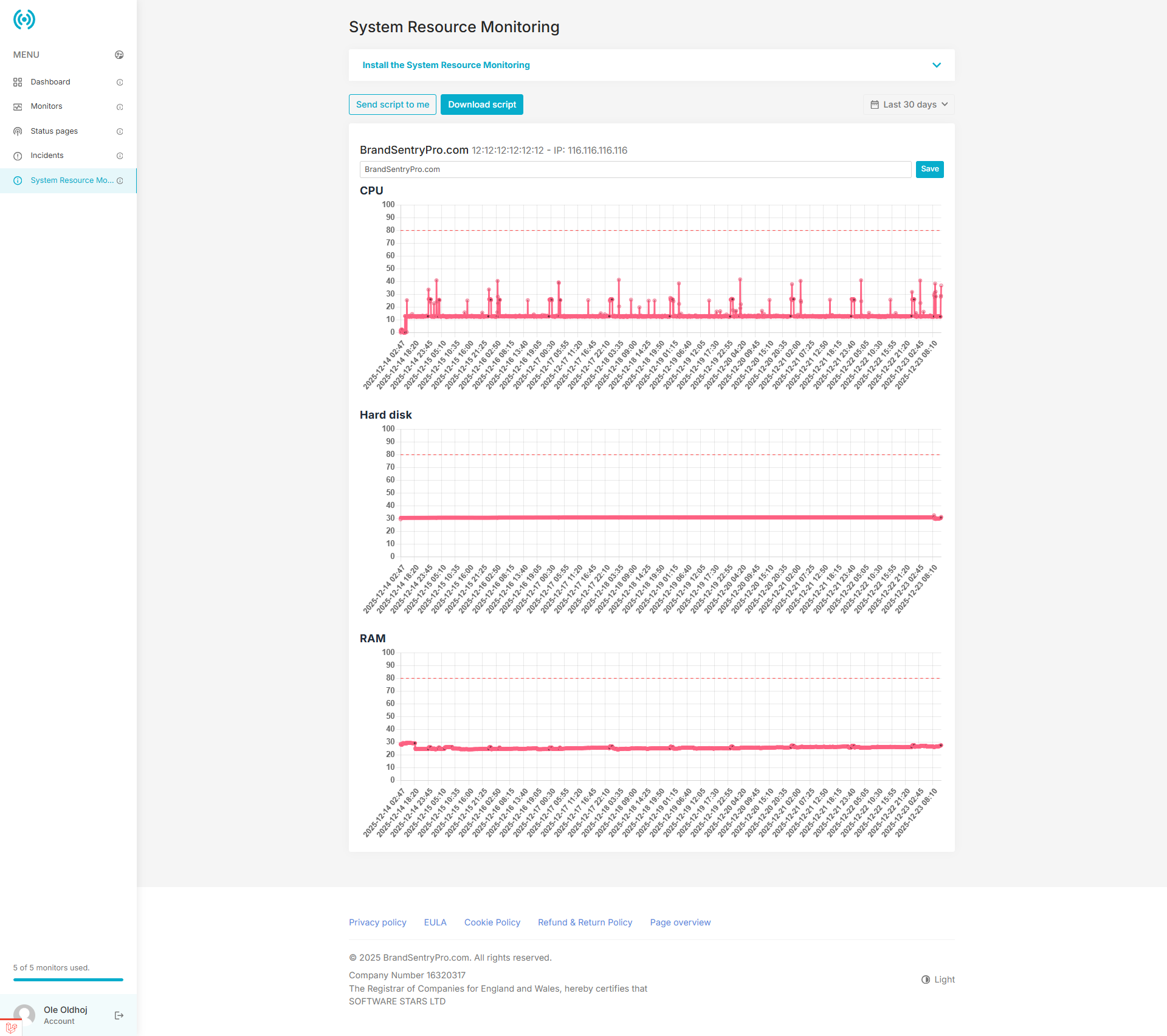
CPU trends. Spot spikes and normalize load averages quickly.
Disk visibility. Track available space and plan capacity before incidents.
Memory health. Know when RAM pressure is affecting workloads.
Actionable system insights
Every five minutes, your servers send fresh metrics so you can react before performance degrades.
Real-time charts
Visualize CPU, disk, and RAM trends across all connected servers.
Threshold guidance
Compare against safe thresholds to spot risk quickly.
Server inventory
Label every host and keep metrics grouped by server.
Install in minutes
Use a single script to install the monitor, run a test check, and schedule automatic collection every five minutes.
- 1Download the PHP monitor script with your API key.
- 2Run the script once to verify connectivity.
- 3A cron job keeps the metrics flowing every five minutes.
echo "Installing Server Monitor..."

mkdir -p /root/ServerScripts
cd /root/ServerScripts

rm -f server-monitor.php

curl -fsSL "https://brandsentrypro.com/server-monitor/download?api_key=YOUR_API_KEY" \
-o server-monitor.php

chmod -x /root/ServerScripts/server-monitor.php
php /root/ServerScripts/server-monitor.php

(crontab -l 2>/dev/null; echo "*/5 * * * * /usr/bin/php /root/ServerScripts/server-monitor.php >/dev/null 2>&1") | crontab -
Ready to monitor your infrastructure?
Start tracking system resources with the same dashboard you already use for uptime monitoring.
Create your account